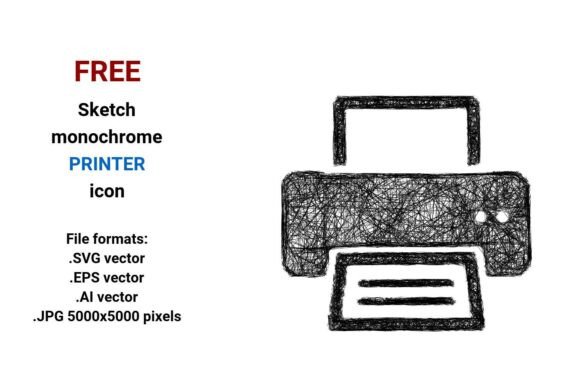
FREE Sketch Printer Icon: Scalable, Stylish & Ready for Real Projects
If you're designing a dashboard, building a SaaS interface, or crafting marketing materials for a small business, a well-chosen printer icon matters more than you might think. The FREE Sketch Printer Icon—available in black and white with clean, hand-drawn charm—isn’t just another decorative element. It’s a functional, scalable design asset built for clarity and consistency across digital and print contexts.
Unlike generic clipart or low-res PNGs, this set delivers four production-ready file formats: .SVG vector, .EPS vector, .AI vector, and a high-resolution .JPG (5000×5000 pixels). That means whether you’re dropping it into Figma, editing paths in Adobe Illustrator, embedding it responsively on a website, or printing it on a presentation slide at full size—it stays crisp, legible, and true to its sketch-style character.
Why “Sketch Style” Isn’t Just Aesthetic—It’s Strategic
A sketch printer icon signals approachability, creativity, and human-centered design—ideal for startups, educational tools, or collaborative platforms where users expect intuitive, friendly interfaces. But here’s where many go wrong: assuming “sketchy” means “unprofessional.” In reality, a well-executed outline sketch icon conveys intentionality—not sloppiness. It’s the difference between a rushed doodle and an editable sketch icon crafted with purposeful stroke weight, balanced negative space, and consistent line rhythm.
That’s why this FREE Sketch Printer Icon avoids overdone “rough” textures or inconsistent linework. Its monochrome palette ensures readability on any background, and its vector foundation guarantees fidelity at any scale—whether it’s 24px in a toolbar or 300px on a printed office poster.
Mistake #1: Assuming All “Free” Icons Are Truly Usable
Many designers grab the first “free printer icon” they find—only to discover later that the license forbids commercial use, the SVG lacks proper grouping (making edits frustrating), or the strokes aren’t outlined (so scaling distorts the look). With the FREE Sketch Printer Icon, every vector file (.SVG, .EPS, .AI) is fully editable: paths are expanded where needed, layers are named logically, and no hidden raster elements compromise flexibility.
Better approach: Before downloading *any* free icon, check if the source provides clear licensing (e.g., CC0 or MIT), confirms vector editability, and includes multiple formats—not just one compressed ZIP of blurry JPGs.
Mistake #2: Using High-Res JPGs Where Vectors Belong
That 5000×5000 JPG is great for mockups or social banners—but don’t embed it in your website header or mobile app UI. Raster images like JPGs don’t scale smoothly. At smaller sizes, they blur; at larger ones, they pixelate. Worse, they bloat page load time unnecessarily.
Better approach: Use the .SVG for web interfaces (it’s lightweight, responsive, and supports CSS styling), .AI or .EPS for print layouts or brand guidelines, and reserve the JPG only when SVG support isn’t viable (e.g., certain email clients or legacy CMS templates).
Mistake #3: Overlooking Contextual Fit
An office printer icon used in a healthcare dashboard should feel trustworthy—not playful. A document printer icon on a legal tech platform needs precision, not whimsy. While the FREE Sketch Printer Icon strikes a versatile balance, it’s not universal. Its sketch style shines in creative, educational, or startup-facing products—but may feel too informal for enterprise financial software or government portals.
Better approach: Audit your interface’s tone first. If your app uses bold, geometric icons and flat color blocks, this sketch-style icon may clash unless intentionally contrasted. Pair it thoughtfully—or consider adapting its stroke weight and spacing to match your system’s visual language.
What to Check Before You Download or Deploy
- Licensing clarity: Confirm it’s truly free for commercial use—no attribution required, no hidden restrictions on SaaS, apps, or client work.
- File integrity: Open the .AI or .EPS in Illustrator and verify all strokes are outlined, text is converted, and layers are organized—not flattened or locked.
- Consistency across formats: Compare the .SVG and .JPG at identical sizes. Do key details (like paper curl or button outline) render clearly in both? If the JPG shows artifacts the vector doesn’t, the source art was likely exported poorly.
- Color adaptability: Even though it’s black and white, test how it looks on light/dark backgrounds and whether simple CSS fills (for SVG) or quick recoloring (in AI) work predictably.
Real-World Uses That Go Beyond the Obvious
This FREE Sketch Printer Icon works especially well where clarity meets personality: a teacher’s lesson-planning dashboard, a freelance designer’s portfolio “contact” section, or a no-code tool’s “export to PDF” button. One educator replaced her outdated printer icon with this sketch version—and reported higher click-through on print-related actions, likely because the friendly style reduced perceived friction.
For developers, the .SVG is particularly valuable: it can be inline-coded, animated subtly on hover, or adapted with aria-labels for accessibility. For marketers, the high-res JPG fits seamlessly into Canva presentations or pitch decks without quality loss—even when zoomed during live demos.
Final Thought: Quality Free Assets Demand Intentional Use
A printer icon seems simple—until it isn’t. When it’s misaligned, pixelated, or stylistically off-brand, it quietly erodes trust and usability. The FREE Sketch Printer Icon stands out not because it’s “free,” but because it’s designed to last: scalable, editable, context-aware, and rooted in real workflow needs—not just trend-chasing.
So before you paste, resize, or ship—pause. Open that .AI file. Tweak a stroke. Test it at 16px and 200px. See how it behaves in your actual environment. That extra minute builds confidence, consistency, and professionalism—no subscription required.