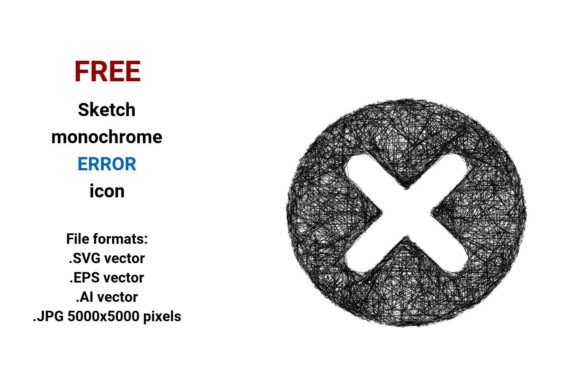
FREE Sketch Error Icon: Scalable, Stylish & Ready for Any UI Project
When a user hits a roadblock—be it a failed form submission, a broken link, or an authentication timeout—the error message they see isn’t just functional. It’s part of the experience. And the visual cue that anchors that moment? Often, it’s a simple yet expressive error icon. That’s where the FREE Sketch Error Icon stands out—not as a generic red “X”, but as a hand-drawn, human-feeling signal that balances clarity with character.
Why Sketch-Style Error Icons Are Gaining Traction
In today’s design landscape, users respond well to interfaces that feel intentional *and* approachable. Overly polished, ultra-flat icons can sometimes read as cold or detached—especially in contexts where empathy matters (think healthcare dashboards, educational platforms, or internal admin tools). Enter the sketch error icon: rougher lines, subtle imperfections, visible pen strokes, and gentle curves that echo how real people draw—not how algorithms render.
This isn’t about sacrificing professionalism. It’s about adding warmth without compromising usability. A black and white error icon in sketch style delivers high contrast, universal legibility, and zero color-related accessibility concerns—making it ideal for dark mode, print documentation, or monochrome displays.
What You Get With This FREE Sketch Error Icon Bundle
The FREE Sketch Error Icon package includes four versatile file formats—each serving a distinct purpose in your workflow:
- .SVG vector — Perfect for web use. Embed directly into HTML, scale infinitely on retina screens, animate with CSS or JavaScript, and keep file sizes tiny.
- .EPS vector — Industry-standard for print production. Use it in Adobe InDesign or Illustrator for manuals, posters, or branded error screens meant for physical kiosks.
- .AI vector — Fully editable inside Adobe Illustrator. Adjust stroke weight, tweak anchor points, recolor individual paths, or integrate it into larger UI kits.
- .JPG (5000×5000 pixels) — High-res raster fallback. Ideal for presentations, mockups, or legacy systems that don’t support vector imports. Crisp even when zoomed at 400% in Keynote or PowerPoint.
Because it’s built from mathematical paths—not pixels—a vector image retains razor-sharp edges at any size. Whether you’re placing it as a 16px favicon or blowing it up to 3 meters wide on a conference backdrop, there’s no blurring, no pixelation, no quality loss.
More Than Just an Icon—It’s a Design System Asset
Think beyond the alert state. This sketched error icon works beautifully as part of a broader visual language:
- Pair it with soft shadows and rounded containers to create a cohesive error message button component.
- Use the same line weight and rhythm across other UI elements—like loading indicators or success checkmarks—to build a unified sketch style system.
- Apply consistent spacing rules: 8px padding around the icon inside buttons, 4px line height in adjacent text labels, and uniform stroke alignment for visual harmony.
Its monochrome nature means it adapts effortlessly to brand palettes. Add a subtle tint via CSS filter: hue-rotate(), or layer it over gradients without worrying about color bleed or contrast clashes.
Real-World Use Cases Across Industries
Designers aren’t the only ones benefiting from this FREE sketch black and white error icon. Here’s how teams across sectors are putting it to work:
Educational Platforms
When students submit incorrect answers in adaptive learning apps, a friendly hand drawn icon softens the feedback loop. It signals “try again” instead of “you failed.” Teachers report higher engagement when error states feel supportive—not punitive.
SaaS Admin Interfaces
Internal tools used by non-technical staff often benefit from rough sketch icon cues. A curve-based error symbol feels less intimidating than a sharp-cornered warning triangle—reducing hesitation during data entry or bulk uploads.
Healthcare & Accessibility Tools
In clinical software where clarity is critical, the bold outlines and generous negative space of this line sketch version ensure readability—even for users with low vision or motor control challenges. Its scalability means it holds up on both tablet-based patient intake forms and large-screen nurse stations.
How to Integrate It Smoothly Into Your Workflow
You don’t need to be a vector expert to use this asset—but knowing a few smart shortcuts helps:
- For developers: Drop the .SVG directly into your
stroke: var(--error-color);). - For designers: Open the .AI file and use the Pathfinder panel to combine or subtract shapes—ideal for building custom error button variants with integrated labels.
- For content teams: Use the .JPG in Confluence or Notion docs to illustrate error handling guidelines—no plugin or font dependency required.
And because it’s truly FREE Sketch Error Icon—no attribution required, no hidden paywalls—you can ship faster, iterate confidently, and maintain consistency across prototypes, staging environments, and live products.
What Makes This Error Vector Stand Out From Generic Alternatives
Not all error vector assets are created equal. Many free icon sets offer clean, minimal symbols—but lack the tactile nuance that makes users pause and absorb the message. Others lean too far into cartoonishness, undermining trust in serious applications.
This bundle strikes a rare balance:
- Scalable—yes, but also thoughtfully constructed. Anchor points are optimized, paths are simplified (no unnecessary nodes), and strokes follow natural curves, not robotic precision.
- Editability—the editable sketch icon lets you adjust line taper, add texture overlays, or convert strokes to fills—all while preserving its organic soul.
- Context-aware—it reads clearly at small sizes (16–24px) thanks to generous whitespace and bold terminal strokes, yet reveals charming detail when enlarged (e.g., in onboarding tooltips).
It’s not just an icon vector. It’s a communication tool—one that says, “We see the hiccup. Let’s fix it—together.”
Final Thoughts: When Simplicity Meets Intention
A great error message doesn’t hide behind jargon or blame. Neither should its visuals. The FREE Sketch Error Icon reflects that philosophy: uncluttered, honest, and quietly confident. Its sketch minimal icon aesthetic avoids visual noise while retaining enough personality to feel human.
Whether you’re building a fintech dashboard, a creative portfolio site, or a government service portal, this flat sketch icon adapts without fading into the background—or shouting louder than it needs to. And with four formats included, you’re covered from code to canvas, from wireframe to final delivery.
No subscriptions. No watermarks. Just one reliable, scalable, expressive error icon—ready to help your interface speak clearly, kindly, and without compromise.