FREE Sketch Navigation Compass Icon
If you're designing a travel app, launching a marine-themed brand, building an educational website about navigation, or crafting a minimalist UI for a logistics dashboard, a well-chosen compass icon does more than point north—it communicates purpose, trust, and direction. The FREE Sketch Navigation Compass Icon stands out because it’s not just another generic symbol: it’s a hand-drawn, editable vector resource that balances authenticity with technical flexibility. Unlike pixel-based icons that blur when scaled, this set delivers crisp clarity at any size—whether embedded in a mobile button, printed on a brochure, or animated in a web interface.
Why “Sketch” Matters More Than You Think
Many designers assume “sketch-style” simply means “rough” or “casual.” But in practice, the sketch aesthetic serves real functional roles: it softens digital interfaces, supports storytelling in educational tools, and adds human warmth to corporate dashboards. A drawn navigation compass signals intentionality—not randomness. That’s why the FREE Sketch Navigation Compass Icon includes four precise file formats: .SVG (ideal for responsive websites), .EPS and .AI (for full editability in Adobe Illustrator or CorelDRAW), and a high-res .JPG (5000×5000 pixels) for print or presentations where vector support isn’t available.
Here’s where people often misstep: downloading only the JPG and assuming it’s enough. That works fine for a one-time social media post—but if you later need to recolor the compass for dark mode, adjust stroke weight for accessibility, or export it at 300 DPI for a trade show banner, you’ll hit a wall. The JPG can’t be edited without quality loss or tedious manual redrawing. That’s not a limitation of the icon—it’s a limitation of skipping the vector files.
Avoid the “One-Format Trap”
Another common oversight? Assuming all vector formats are interchangeable. They’re not. .SVG is browser-native and lightweight—perfect for web use—but doesn’t retain layers or editable text like .AI or .EPS. If your team uses Figma or Affinity Designer, .SVG is usually sufficient. But if you’re a freelance designer delivering source files to a client—or preparing assets for a print vendor—you’ll need the layered precision of .AI or .EPS to adjust individual strokes, reposition anchor points, or replace fonts in labeled versions.
Example: A small business owner creating branded merchandise used only the SVG version of the FREE Sketch Navigation Compass Icon for their website. When they later asked a local printer to put the same icon on tote bags, the printer requested native Illustrator files (.AI) to ensure clean cutting paths. Because the owner hadn’t downloaded the .AI version upfront, they had to retrace the icon manually—costing two hours and introducing subtle inconsistencies.
Don’t Confuse “Marine Compass” With Generic Symbolism
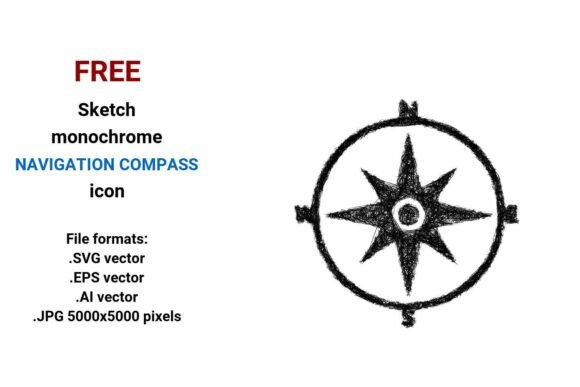
The term marine compass carries specific visual expectations: cardinal points (N, S, E, W), a classic rose design, balanced symmetry, and often subtle nautical cues—like anchor-inspired flourishes or wave-like line endings. Yet many free icon sets label any circle-with-arrow as “marine,” diluting credibility. This FREE Sketch Navigation Compass Icon intentionally honors those conventions while keeping the sketch style legible and scalable. It’s not just decorative—it’s functionally grounded.
Mistake to watch for: Using a compass icon with uneven spacing between directions or missing north markers in navigation apps. Users subconsciously scan for orientation cues. A poorly proportioned or ambiguous navigation compass button can delay task completion—even if the rest of your UI is flawless.
Check These Before You Download—or Deploy
- Stroke consistency: Zoom in on the vector files. Are all lines uniform in weight? Inconsistent strokes break the minimal sketch aesthetic and reduce readability at small sizes.
- Color neutrality: Since this is a black-and-white sketch, confirm it’s built on transparent backgrounds—not white fills. That ensures seamless integration over gradients, photos, or dark themes.
- Export readiness: Open the .AI file and test exporting a new .SVG. Does it preserve layers and grouping? Some “vector” downloads are flattened exports masquerading as editable files.
- Licensing clarity: Even though it’s labeled FREE, verify usage rights. Can you use it commercially? Modify it? Include it in SaaS products? This set permits all three—no attribution required—but always double-check the license document included in the download folder.
How to Use It Without Losing Its Strength
The power of this FREE Sketch Navigation Compass Icon lies in its adaptability—not just its appearance. For educators building interactive geography lessons, the sketch style invites annotation: students can digitally “mark up” the compass with routes or wind patterns using the editable .AI file. For marketers launching a coastal tourism campaign, the .SVG version can be animated with CSS to rotate smoothly during loading states—adding motion without bloat. And for freelancers pitching UI redesigns, offering clients both the final PNG and the source .AI file demonstrates professionalism and long-term value.
One overlooked advantage? Its role in visual hierarchy. Because it’s a line navigation compass icon with clear negative space and deliberate line breaks, it pairs cleanly with bold typography or photographic backgrounds—unlike dense, filled icons that compete for attention. Try placing it beside a headline like “Find Your Course”—the contrast between handwritten authenticity and confident messaging reinforces your message without saying a word.
Final Thought: Quality Isn’t Just in the Lines—It’s in the Options
You don’t need every format for every project—but having them available prevents costly detours. Whether you’re a blogger illustrating a post on ancient navigation, a startup founder building a sailing app, or a teacher designing classroom posters, the right compass icon should feel intentional, not incidental. The FREE Sketch Navigation Compass Icon gives you that intentionality: a hand drawn sketch that’s technically robust, stylistically coherent, and practically versatile. Download all four formats—not because you’ll use them all today, but because you’ll thank yourself tomorrow when scope changes, platforms shift, or a new use case emerges.