FREE Sketch Legal Advisor Icon: A Practical, Scalable Design Asset for Real-World Use
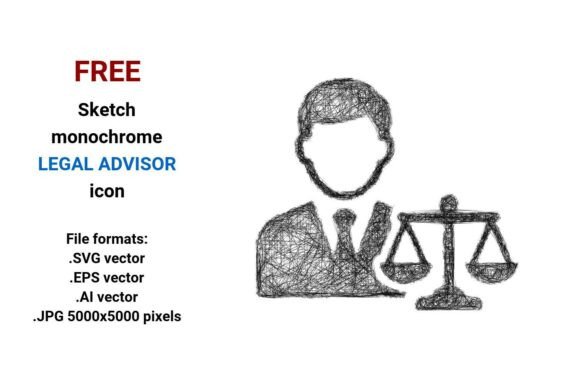
If you've ever spent 20 minutes trying to find a legal-themed icon that feels human—not sterile, not overly corporate, but still professional—you know how rare it is to land on something that balances authority with approachability. The FREE Sketch Legal Advisor Icon does exactly that: it’s a hand-drawn, minimalist line-art representation of a legal advisor, delivered in four versatile formats—.SVG, .EPS, .AI, and high-res .JPG (5000×5000 pixels). No watermarks. No paywall. No attribution required.
Where This Icon Fits Naturally—Not Just Where It *Could* Fit
This isn’t an icon meant for stock portfolios or design galleries. It’s built for action—and it shows up where clarity, trust, and visual warmth matter most.
- Legal tech dashboards: Imagine a compliance tracking tool where each workflow stage has a small, friendly sketch icon next to its label—“Review Contract,” “Assess Risk,” “Confirm Compliance.” The FREE Sketch Legal Advisor Icon adds instant recognition without visual noise. Unlike flat, rigid icons, its slight roughness signals human judgment—not just algorithmic output.
- Small law firm websites: Solo practitioners and boutique firms often avoid flashy graphics because they want to project sincerity over polish. A sketch-style legal advisor icon works beautifully in navigation bars, service section headers, or even as a subtle watermark behind contact forms—reinforcing expertise while feeling grounded and relatable.
- E-learning platforms for compliance training: HR teams building internal courses on GDPR, HIPAA, or workplace safety need visuals that guide—not distract. Placing the sketch legal advisor icon beside key takeaways or scenario prompts helps learners associate abstract rules with real-world guidance. Its line art style reads clearly even at small sizes on mobile screens.
- Nonprofit advocacy materials: Organizations supporting tenant rights, immigrant legal aid, or consumer protection often work with limited design budgets and tight timelines. This icon drops right into flyers, social media carousels, or email headers—adding visual cohesion without demanding custom illustration time.
Why Vector Formats Matter More Than You Think
A vector image isn’t just “scalable”—it’s future-proof. Whether you’re printing a 4'×8' banner for a legal aid fair or embedding a tiny 24px icon in a Slack bot interface, the FREE Sketch Legal Advisor Icon holds its integrity. That’s because vectors are built from mathematical paths—not pixels—so resizing doesn’t blur, pixelate, or distort.
The inclusion of .SVG, .EPS, and .AI files means you’re covered across workflows:
- .SVG works natively in modern browsers and CMS platforms (like WordPress or Webflow), making it ideal for responsive websites and interactive tools.
- .EPS is your go-to for print-ready assets—brochures, letterheads, signage—especially when handing off to professional printers who require legacy-compatible vector formats.
- .AI gives designers full editability: change stroke weight, adjust curve tension, recolor individual elements, or isolate parts (e.g., use just the briefcase or gavel outline in a different context).
- .JPG (5000×5000) serves as a high-fidelity fallback—perfect for presentations, pitch decks, or situations where vector support isn’t available (think older email clients or basic PDF generators).
Who Benefits—and How Their Needs Differ
A startup founder evaluating this icon cares about speed and brand alignment—not technical specs. They’ll drop the .SVG into their Figma file, tweak the stroke color to match their palette, and ship a new “Legal Support” page before lunch.
A university compliance office manager needs consistency across dozens of departments. They’ll use the .AI version to standardize the icon across training modules, policy PDFs, and intranet banners—ensuring every unit uses the same visual language for “advisory authority.”
A freelance illustrator working on a legal-themed children’s book might extract the hand-drawn sketch elements—the curved lines, the loose pen strokes—to blend into custom character illustrations, using the icon as a springboard rather than a final asset.
Real Considerations Before You Use It
While the FREE Sketch Legal Advisor Icon is flexible, it’s not universal—and that’s okay. Here’s what to keep in mind:
- It’s intentionally minimal: If your project requires detailed symbolism—like specific legal attire (robes, wigs) or jurisdiction-specific emblems—it won’t deliver that depth. Its strength is suggestion, not specificity.
- Sketch ≠ casual: Some assume “sketch” implies informality. In practice, this icon lands as thoughtful and human-centered—not unprofessional. But if your audience expects traditional heraldry or formal insignia (e.g., government agencies issuing official documents), test it first.
- Color matters more than you expect: The black-and-white base makes it adaptable—but also neutral. Adding a single accent color (navy, deep green, or charcoal) can shift perception dramatically: navy signals tradition and stability; green leans into ethics and compliance; charcoal feels modern and lean.
- Context overrides style: On a dark-mode app interface, the thin strokes may need slight thickening or a subtle background shape for legibility. Always preview at actual usage size—not just in your design app.
More Than Just an Icon—A Design Philosophy in One File
This sketch legal advisor icon quietly supports a broader shift: away from cold, templated visuals toward warm, intentional ones. It fits seamlessly alongside other line art, doodle icon, or freehand sketch icon assets—making it easy to build cohesive visual systems for legal, compliance, or advisory brands.
Need a matching compliance advisor button? Pair it with a simple rounded rectangle and consistent stroke weight. Building a suite of legal consultant resources? Use the same sketch aesthetic for icons representing research, review, negotiation, and documentation—creating rhythm without repetition.
And because it’s truly free—no hidden tiers, no email gate, no “pro version” lockout—it removes friction at the earliest stage: exploration. You can test it in mockups, share it with stakeholders, iterate on layouts—all before committing to broader design decisions.
Whether you're a compliance advisor streamlining internal comms, a legal consultant refreshing your website, or a product team designing a privacy-first tool, the FREE Sketch Legal Advisor Icon offers something increasingly rare: professional utility, human texture, and zero overhead—delivered in one clean, editable, infinitely scalable package.