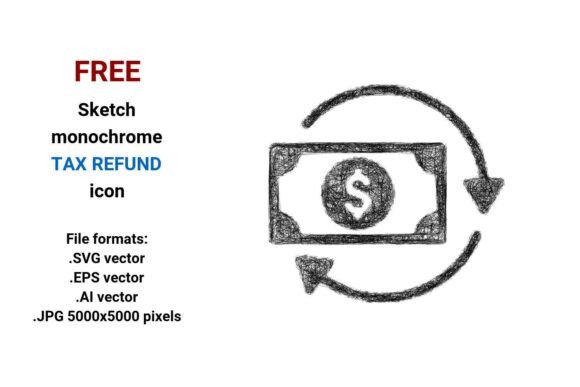
FREE Sketch Tax Refund Icon
If you're building a tax-related dashboard, launching a finance blog, or designing a refund claim landing page, the FREE Sketch Tax Refund Icon is more than just a visual shortcut—it’s a tone-setter. This isn’t a sterile, over-polished corporate icon. It’s intentionally loose, hand-drawn, and expressive: think pencil strokes with gentle variation in line weight, subtle tapering, and organic curves that suggest human intention—not algorithmic perfection. The sketch style conveys approachability without sacrificing clarity, making complex topics like refund claim, tax rebate, or tax refund feel less intimidating and more actionable.
What makes it especially useful is its versatility across contexts. You’ll find it working just as well on a mobile banking app’s “Request Refund” button as it does in a printed small-business tax checklist or a social media carousel explaining how to file for a refund. Its black-and-white simplicity ensures high contrast and legibility at any size—critical for UI elements where users scan quickly. And because it’s delivered in four native formats—.SVG vector, .EPS vector, .AI vector, and .JPG (5000×5000 pixels)—you’re covered whether you’re editing in Figma, prepping for offset print, or dropping assets into Canva or WordPress.
Why Vector Matters—Especially for Tax & Finance Icons
A vector image isn’t just “scalable.” It’s future-proof. Unlike raster files (like standard JPGs or PNGs), which pixelate when enlarged, this tax refund vector stays razor-sharp whether it’s 24px tall in a web navigation bar or blown up to 36 inches wide on a conference booth banner. That’s essential for finance and tax projects, where consistency across devices, platforms, and physical touchpoints builds trust. When your audience sees the same clean, confident sketch tax refund icon on your website, email footer, and printed client guide, it quietly reinforces professionalism—even if the style itself feels informal.
The included .SVG format is ideal for modern web use: lightweight, editable via CSS, and accessible with proper aria-label attributes. Use it inline for responsive dashboards or interactive tools where users click to initiate a refund claim. The .AI and .EPS files let designers tweak anchor points, adjust stroke behavior, or recolor globally—perfect when aligning with a brand palette or adapting for dark mode. And yes—the high-res .JPG gives non-designers (think bloggers or small business owners) an instantly usable version for newsletters, presentations, or social posts without needing Illustrator.
Where This Sketch Style Fits—and Where It Doesn’t
This sketched aesthetic shines in environments where warmth, transparency, or education are priorities. Think: a CPA’s explainer video thumbnail, a fintech startup’s onboarding flow, or a nonprofit’s guide to claiming a tax rebate. Its hand drawn quality signals “we’re here to help,” not “we’re auditing you.” It pairs naturally with friendly sans serifs (like Inter or Poppins) or even light serif body text—never with heavy display fonts or rigid geometric typefaces that clash tonally.
It’s less suited for formal government portals, official IRS documentation, or enterprise compliance dashboards where regulatory gravity demands austerity and neutrality. In those cases, a cleaner, more neutral tax refund icon—perhaps solid-filled or minimal outline—would better serve the audience’s expectations. But for anything aiming to demystify, engage, or invite action? This rough, curved, idea-driven sketch delivers.
Practical Tips for Using the FREE Sketch Tax Refund Icon
- Test contrast early. Even in black-and-white, stroke width and spacing affect readability at small sizes. Drop it into your actual UI mockup at 16px and 24px before finalizing.
- Pair with intentional whitespace. The sketch design element thrives when given breathing room. Avoid cramming it next to dense text blocks or competing icons.
- Use the .SVG for interactivity. Add hover states (slight scale-up or color shift) or animation (a gentle pulse on “claim” buttons) to increase engagement—especially for refund claim CTAs.
- Respect the sketch’s rhythm. Don’t force symmetry where the original has asymmetry. Its charm lies in slight irregularity—like the uneven curve of the dollar sign or the tapered end of the arrow pointing toward “refund.”
- Check licensing scope. While this is a FREE Sketch Tax Refund Icon, confirm usage rights for your specific context—especially if embedding in SaaS products or reselling templates. Most free vector icons allow commercial use, but always verify.
More Than Just an Icon—A Design Decision
Choosing this icon isn’t just about checking a box for “tax-related visuals.” It’s a deliberate signal about how you want users to feel: informed, not overwhelmed; guided, not lectured; empowered to act on their refund, not stalled by bureaucracy. That’s why designers reach for sketch style assets in financial UX—they lower cognitive load while preserving authority.
Whether you’re a marketer simplifying tax season messaging, a developer building a refund tracker, or a craft business owner illustrating a “file your small biz rebate” tutorial, this editable, scalable, and artistic asset supports real work. It doesn’t shout. It invites. And in crowded digital spaces—where attention is scarce and trust is earned—one thoughtful, well-placed tax refund button can make all the difference.
So go ahead: drop the FREE Sketch Tax Refund Icon into your next layout. Resize it. Recolor it. Animate it. Print it. Let its minimal sketch icon sensibility do quiet, consistent work—so your message about tax rebate, refund claim, or smart finance decisions lands exactly as intended.