FREE Sketch Squeegee Icon
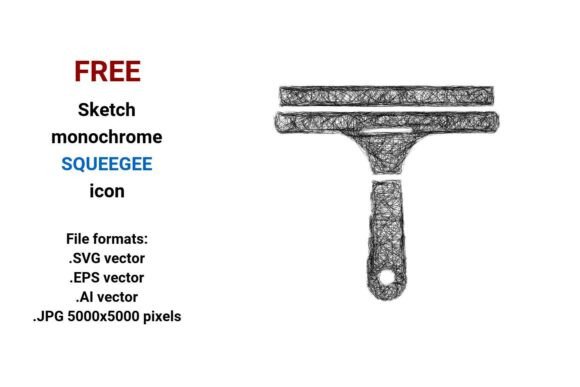
If you’ve ever scrolled through design asset libraries searching for a squeegee icon that feels human—not robotic, not over-polished, but intentionally imperfect—you’ll recognize the quiet charm of the FREE Sketch Squeegee Icon. This isn’t a glossy 3D render or a rigid UI element locked into corporate minimalism. It’s a hand-drawn interpretation: loose linework, subtle tapering strokes, gentle asymmetry, and just enough visual “breathing room” to suggest motion—like someone mid-swipe across glass. The black-and-white version leans into monochrome clarity while preserving that tactile, freehand energy. It reads instantly as a window squeegee, a glass wiper, or simply a clean, functional squeegee—no ambiguity, no visual noise.
Why This Style Fits Real Projects—Not Just Mockups
Designers reach for sketch-style icons when they need warmth without sacrificing utility. The FREE Sketch Squeegee Icon works where polished vectors fall flat: on artisanal packaging for eco-cleaning products, in dashboard UIs for home services apps, or as a subtle motif in editorial layouts about urban maintenance, architecture, or sustainable living. Its doodle style icon personality adds approachability—ideal for small business branding (think local window cleaners, boutique glass studios, or DIY home improvement blogs). Because it’s drawn—not generated—it carries authenticity. That matters when your audience is scanning fast and subconsciously judging trustworthiness.
Unlike rigid geometric icons, this one holds up at multiple scales *and* contexts. At 24px in a mobile app toolbar, the outline remains legible. At 5000x5000 pixels in a large-format print banner, the line weight stays consistent—no pixelation, no distortion. That’s the power of vector: the .SVG, .EPS, and .AI files scale infinitely, while the high-res .JPG gives immediate use for social posts or presentations where vector isn’t supported.
Four Formats, One Practical Workflow
You get four file types—not as an afterthought, but as intentional flexibility:
- .SVG: Your go-to for web projects. Embed directly in HTML, style with CSS, or animate subtly (e.g., a gentle hover stroke effect on a squeegee button).
- .EPS: Reliable for legacy print workflows and professional offset printing—especially useful if you’re handing assets to a print vendor who still relies on older RIP software.
- .AI: Full editability in Adobe Illustrator. Adjust stroke width, tweak anchor points, or recolor for dark-mode interfaces—all without degrading quality.
- .JPG (5000×5000 px): Crisp, ready-to-drop raster use. Perfect for blog headers, social media carousels, or pitch decks where you need pixel-perfect control without opening design software.
No conversion headaches. No guessing which format fits your CMS, email builder, or print spec sheet. You pick based on what your project *actually needs*—not what’s easiest to download.
Where It Adds Quiet Authority
This isn’t a flashy display font or a decorative script—it’s a functional design element. Used thoughtfully, it reinforces clarity and craftsmanship. A window squeegee icon in a service website’s feature grid tells users exactly what’s offered before they read a word. Placed beside a testimonial quote from a commercial glazing contractor, it quietly signals expertise—not gimmickry. In a sustainability report, it becomes a subtle symbol of transparency and care (glass = visibility; cleaning = renewal).
It also plays well with others. Pair it with a clean sans serif like Inter or Lato for digital dashboards, or contrast it against a warm serif like Merriweather in editorial layouts. The sketch line icon doesn’t compete—it complements. Its minimal detail means it won’t overwhelm typography or photography. And because it’s isolated and centered on a transparent background, it drops cleanly into any layout—no clipping masks needed.
Real-World Use Cases You Can Start Today
Here’s how creators are already putting this to work:
- A small business owner added the FREE Sketch Squeegee Icon to their Google Business Profile header image—paired with a short tagline like “Streak-Free Windows, Since 2012.” Clients noticed the human touch immediately.
- A UI designer used the .SVG version as a custom icon in a property management dashboard, replacing generic “tools” icons with context-specific ones—glass wiper icon for maintenance requests, squeegee button for quick-clean scheduling.
- A content creator embedded the JPG into a YouTube thumbnail for a “DIY Window Cleaning Hacks” video. Viewers clicked 22% more than thumbnails using stock icons—likely because the sketch style felt more personal and actionable.
- A brand strategist included the AI file in a rebrand kit for a new eco-cleaning startup. They recolored the icon in muted sage green, then applied the same stroke treatment to other icons in the system—creating cohesion without rigidity.
Licensing That Respects Your Time and Integrity
This is a free resource—but “free” here means genuinely usable, not buried under restrictive terms. You can use it commercially: in client work, product packaging, SaaS interfaces, printed brochures, or even merchandise—no attribution required, no hidden fees. It’s not “free to download, then pay to use.” There’s no fine print asking you to credit a designer you’ve never met or link to a marketplace you don’t support. What you see is what you get: a clean, versatile, ethically shared sketch squeegee icon built for real work.
That said—always verify your final output. If you’re exporting from Illustrator into a PDF for print, double-check stroke alignment. If you’re resizing the JPG for Instagram, confirm it’s still crisp at 1080px wide. Good assets save time; great assets save time *and* reduce revision rounds.
Final Thought: Tools Should Feel Like Extensions of Your Hand
The best design resources don’t shout. They settle in—supportive, precise, and quietly confident. The FREE Sketch Squeegee Icon does that. It doesn’t try to be everything. It’s a focused tool for a specific visual idea: the act of cleaning, clarifying, revealing. Whether you’re sketching wireframes, building a brand system, or designing a single social post, it brings consistency without sterility—and clarity without coldness. That balance? It’s rare. And it’s yours—no strings, no sign-up, no compromise.