FREE Sketch EV Safety Icon
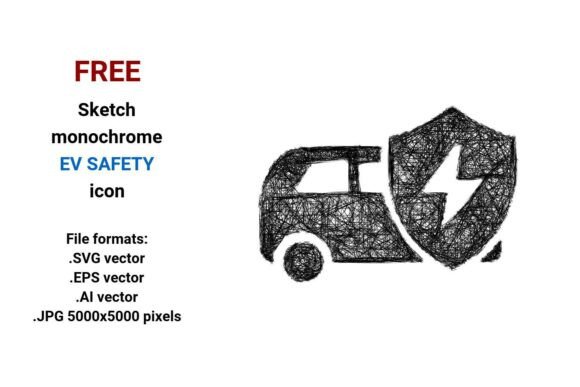
If you're designing interfaces for electric vehicles, safety dashboards, driver assistance apps, or educational materials about EV technology, a clean, expressive visual cue matters—fast. The FREE Sketch EV Safety Icon delivers exactly that: a hand-drawn, black-and-white safety symbol built for clarity, adaptability, and human-centered design.
Why a Sketch-Style Icon Fits Real-World EV Safety Communication
Safety systems in modern EVs—like automatic emergency braking, blind-spot detection, or lane-keeping assist—rely on trust. Users need to recognize features instantly, without cognitive friction. A polished, overly technical icon can feel cold or abstract. In contrast, the FREE Sketch EV Safety Icon uses deliberate line art and subtle imperfection to signal approachability and intentionality—ideal for startups explaining new safety tech, educators illustrating concepts, or UX designers building intuitive dashboards.
This isn’t just aesthetic preference. Research in human-computer interaction shows that sketch-style icons improve recall and perceived usability in early-stage interfaces—especially when introducing unfamiliar safety functions. That’s why automotive startups, e-learning developers, and EV training platforms often choose hand-drawn vectors over sterile corporate glyphs.
Four Formats, One Practical Workflow
The FREE Sketch EV Safety Icon comes in four widely supported formats: .SVG, .EPS, .AI, and .JPG (5000×5000 px). Each serves a distinct role—and together, they eliminate common bottlenecks.
- .SVG: Best for websites, web apps, and responsive dashboards. Scales infinitely without blurring, loads fast, and supports CSS styling (e.g., hover color shifts on an EV safety system toggle button).
- .EPS & .AI: Essential for print, branding, and professional editing. Designers using Adobe Illustrator or CorelDRAW can adjust stroke weight, recolor elements, or integrate the icon into complex safety system schematics—all while preserving vector integrity.
- .JPG (5000×5000 px): High-resolution raster backup for presentations, PDF reports, or platforms that don’t support vector uploads. Crisp even when zoomed in during stakeholder reviews or classroom demos.
Unlike single-format downloads, this set lets you move seamlessly from wireframing (using the SVG) to final print collateral (using EPS) to client-facing decks (using JPG)—without re-exporting or quality loss.
Editable, Not Just Usable
“Editable” isn’t marketing jargon here—it’s functional reality. Because the icon is built as a true vector image (defined by mathematical points, lines, and curves), every curve and stroke remains crisp at any size. More importantly, it’s layered and named logically in the .AI and .EPS files. You can isolate the helmet outline, tweak the seatbelt curve, or change the battery symbol’s stroke width—no pixelation, no guesswork.
This matters most when customizing for context. For example:
- An EV safety course might add a subtle “✓” inside the icon to denote “verified system.”
- A fleet management dashboard could recolor the icon’s stroke to match its status palette (green = active, amber = warning, gray = inactive).
- A hardware startup may embed the icon into a PCB silkscreen layout—scaling it down to 3 mm without losing legibility.
Who Benefits Most—and Why
UX/UI designers building EV-related interfaces gain consistency across platforms—whether showing a driver assistance alert on a touchscreen or labeling a safety system toggle in a settings menu. The sketch style bridges technical accuracy and user empathy.
Educators and technical writers use the icon to visually anchor explanations of complex topics—like how regenerative braking integrates with collision avoidance. Its simplicity avoids distracting from core content, while its sketchy character invites engagement, not intimidation.
Startup founders and marketers developing EV safety tools appreciate how quickly this icon conveys purpose. It works equally well on a pitch deck slide, a product landing page, or a social media graphic—without licensing fees or attribution strings.
Freelance illustrators and motion designers treat it as a foundational element: tracing over it for animated transitions, converting strokes to paths for Lottie exports, or layering it with subtle shadows for depth in explainer videos.
When to Consider Alternatives
While the FREE Sketch EV Safety Icon excels in contexts valuing expressiveness and flexibility, it may not suit every need. If your project requires strict regulatory compliance—such as ISO 26262-certified documentation—you’ll likely need standardized, formally approved symbols instead. Likewise, if your interface demands ultra-minimalist, monoline icons (e.g., Material Design guidelines), a more geometric variant may align better.
Also note: This is a black-and-white sketch, not a full-color or photorealistic asset. That’s intentional—it ensures accessibility (high contrast), fast rendering, and easy integration into dark-mode UIs or grayscale print materials. But if your brand relies heavily on color-coded safety states (e.g., red = critical, yellow = caution), plan to extend the icon with complementary color logic—not replace it.
Practical Tips for Immediate Use
Start small. Drop the SVG into a Figma or Adobe XD prototype and test it next to real EV safety labels (“Front Collision Warning,” “Pedestrian Detection”). Does it feel like part of the same language? If yes, scale up: use the .AI file to build a full safety system icon set—pairing this sketch icon with matching sketches for battery health, charging status, or cabin monitoring.
For educators: Print the JPG at 8.5×11 inches and laminate it as a physical “safety system” card for classroom sorting activities. Students match icons to descriptions—a tactile way to reinforce how driver assistance features connect to real-world outcomes.
For developers: Use the SVG’s
Final Thought: Clarity Starts With Intentional Form
Safety isn’t just about sensors and algorithms—it’s about communication. Every time someone glances at a dashboard, reads a manual, or watches a demo video, they’re interpreting meaning through design. The FREE Sketch EV Safety Icon doesn’t shout. It invites attention, supports understanding, and adapts without compromise. Whether you’re launching an EV safety app, teaching sustainable transport principles, or documenting a new driver assistance system, it’s a quiet but effective tool—one that saves time, strengthens messaging, and stays useful across formats, audiences, and iterations.