FREE Sketch Download Complete Icon: A Practical Resource for Designers and Developers
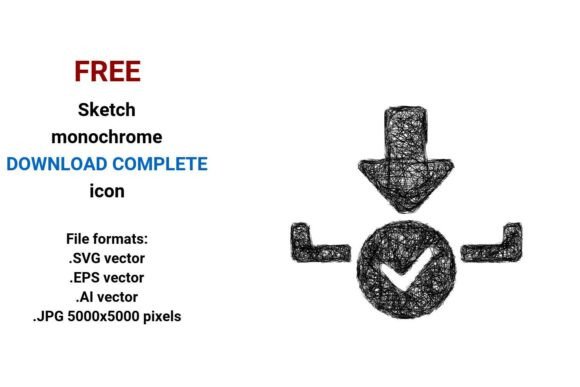
FREE Sketch Download Complete Icon is a hand-drawn, minimalist icon set designed to visually communicate the moment a digital file transfer finishes successfully. Unlike generic “checkmark” or “tick” icons, this resource emphasizes organic line quality—think pencil strokes, subtle imperfections, and expressive curves—that conveys completion with warmth and approachability. It’s not just functional; it’s intentionally human-centered in aesthetic, making it especially suitable for interfaces where tone matters as much as clarity.
What Makes This Icon Distinct?
The distinction lies in its deliberate sketch-style execution—not as a placeholder or rough draft, but as a finished design language choice. Each version retains consistent proportions, stroke weight, and compositional balance across all four formats: .SVG vector, .EPS vector, .AI vector, and .JPG at 5000×5000 pixels. That resolution ensures crisp rendering even on large-format print or high-DPI displays, while the vector files allow infinite scalability without pixelation or loss of fidelity.
Unlike many “download complete” icons that rely on flat geometric shapes or UI-standard symbols (e.g., a circle with a check inside), this set uses hand-drawn line art—curved arcs, tapered ends, slight irregularities—to suggest authenticity and craft. It fits naturally alongside other sketch-based UI elements, infographics, or branding systems built around artistic, non-automated visual cues.
How It Compares Across Common Use Cases
When evaluating download status indicators, designers often weigh clarity against character. A clean, monochrome SVG icon might prioritize universal legibility in dense dashboards—but can feel sterile. A detailed PNG illustration may add personality but risks blurriness when resized or fails to scale smoothly in responsive layouts. FREE Sketch Download Complete Icon occupies a middle ground: it delivers recognizability through familiar download-and-check symbolism while preserving tactile, analog charm.
For example, in an educational platform where learners interact with downloadable worksheets or course assets, a hand-drawn “download complete” icon feels more encouraging and less transactional than a rigid icon set. Similarly, creative agencies using sketch-style design systems find this icon integrates seamlessly with existing line-art illustrations, logo variants, or presentation templates—no need for stylistic overrides or color matching gymnastics.
Format Flexibility: Why Four Versions Matter
Having all four formats available—not just one—is a practical advantage, especially for teams working across different tools and workflows:
- .SVG: Ideal for web use—lightweight, supports CSS styling, accessible via
aria-label, and compatible with modern frameworks like React or Vue. - .EPS: Widely supported in legacy print and desktop publishing software; useful for designers preparing multi-platform brand kits.
- .AI: Enables direct editing in Adobe Illustrator—adjust stroke width, recolor, or combine with custom typography without rasterization.
- .JPG (5000×5000): Serves as a high-res fallback for presentations, printed documentation, or platforms that don’t support vector imports.
This breadth means you’re not forced to convert or compromise. No upscaling artifacts. No missing paths in exported PDFs. No surprises during handoff between developers and designers.
Strengths and Realistic Tradeoffs
The primary strength is consistency of voice: if your project already embraces hand-drawn aesthetics—whether in landing page illustrations, app onboarding flows, or marketing collateral—this icon reinforces that language without requiring custom illustration work. Its simplicity also supports fast implementation: no complex licensing checks, no attribution requirements, and no subscription layers.
However, there are tradeoffs worth noting. Because it leans into sketch qualities—visible pencil texture, uneven line weight, and intentional roughness—it may not suit contexts demanding strict accessibility contrast ratios out-of-the-box. Some screen readers interpret purely decorative SVGs differently than semantic ones, so proper labeling remains essential. Also, while the black-and-white base makes recoloring straightforward, adding gradients or shadows requires manual vector editing—not a limitation, but a step some users may prefer to avoid.
It’s also not optimized for ultra-minimalist or data-dense interfaces where space is constrained. A 24×24-pixel version would need careful simplification to retain legibility—a task the current release doesn’t include, though the vector source files make that adaptation feasible.
When FREE Sketch Download Complete Icon Is the Right Fit
This icon works best when:
- You’re building a product or service with an established hand-drawn, artistic, or educational tone—and want interface elements to echo that sensibility.
- Your team uses multiple design and development tools (Illustrator, Figma, Sketch, web builders) and benefits from format redundancy.
- You need a clear, recognizable “download finished” signal that avoids clinical or corporate overtones—ideal for student-facing tools, maker communities, or creative portfolios.
- You value ready-to-use assets that require little modification but still allow room for customization (e.g., stroke color, background treatment, or integration with custom icon fonts).
In contrast, it may be less ideal if your project follows strict WCAG 2.1 AA contrast guidelines without additional tuning, relies heavily on animated feedback (this set is static), or operates in highly regulated environments where standardized ISO-compliant symbols are mandated.
Practical Integration Tips
Because the icon comes in vector form, scaling is never a concern—but placement and context matter. In a mobile app, pair it with concise microcopy like “Download complete” or “Ready to open” rather than relying solely on visual recognition. On websites, consider pairing the sketch icon with a subtle animation (e.g., gentle pulse or fade-in) triggered by JavaScript after a successful fetch or blob generation—enhancing perceived performance without altering the core asset.
If you’re embedding the .SVG directly, ensure it includes appropriate role="img" and aria-labelledby attributes for screen reader compatibility. For .JPG usage, always provide alt text describing both action and outcome: “Download complete icon: pencil-drawn checkmark inside curved download arrow.”
Final Considerations Before Download
“Download complete” icons exist across a spectrum—from technical precision to expressive abstraction. FREE Sketch Download Complete Icon sits firmly in the latter camp, offering clarity through familiarity and warmth through execution. It’s not trying to replace system-standard indicators in enterprise software, nor does it aim to mimic photorealistic illustrations. Instead, it fills a specific niche: where function meets feeling, and where a simple line drawing carries intention.
If your goal is to reinforce trust, approachability, or creative identity—not just signal completion—then this icon delivers tangible value. And because it’s offered freely with no strings attached, testing it in a real layout carries virtually no risk. You can assess fit, adjust stroke weight, test contrast, or drop it into a prototype—all before deciding whether it belongs in your final build.
Ultimately, the right download icon isn’t defined by format alone, but by how well it aligns with your audience’s expectations, your team’s workflow, and your product’s voice. FREE Sketch Download Complete Icon earns its place when those three overlap—and gives you the flexibility to adapt it further, should you need to.